Category: Uncategorised

  • PERFORMANCE UPGRADE COMING TO RESIDENT

    PERFORMANCE UPGRADE COMING TO RESIDENT

    We recently shared exciting news about the brand-new version of Resident launching next year. Today, we want to reassure you of something important:

    We’re not taking our foot off the gas with the current version.
    Your feedback continues to shape meaningful improvements right now.

    A FASTER, SMOOTHER RESIDENT EXPERIENCE

    Over the next few days, we’ll be releasing a performance upgrade designed to make Resident noticeably faster and smoother to use. After analysing system behaviour and real-world usage, our developers have identified a smart way to reduce database load by around 30% – delivering a more responsive experience for everyone.

    WHAT’S CHANGING

    To achieve these speed improvements, we’re streamlining how Resident loads data.

    Previously, many screens would load everything behind the scenes the moment you opened them – even if you didn’t need it. Now, content loads on demand, exactly when you click into it.

    You’ll notice two key enhancements:

    • Tabs now load only when clicked
      Pages no longer pull in all tab data automatically, removing unnecessary loading and improving speed.
       
    • Large lists and dashboards load more efficiently
      Resident retrieves only what you need, when you need it, meaning less waiting and a smoother experience.

    These changes don’t remove any functionality – they simply make Resident work smarter.

    A QUICK TIP FOR YOU AND YOUR TEAM

    To support these improvements, we’ve introduced ‘light client-side caching’. It helps speed up pages, but occasionally you may see data that hasn’t refreshed yet.

    So by default, the first time a user enters the main dashboard all data will load as normal. After that, the dashboard will automatically refresh when you re-enter it after a 2 hour timeframe. If you want to see the most recent data immediately, simply click the new refresh button in the top-right corner of your dashboard.

    If in doubt, just press F5 for a confirmed refresh.
    A quick refresh clears the cache and loads the latest information instantly.

    WHY WE’RE SHARING THIS

    While we’re investing heavily in the next generation of Resident, we remain fully committed to improving the version you use every day. This performance upgrade is one of several enhancements we’ll be releasing as we continue delivering value now and in the future.

    ENJOY THE SPEED BOOST

    We look forward to sharing more updates with you soon – and we hope you enjoy a noticeably faster Resident experience.


  • Preparing Your Block for Winter: A Proactive Maintenance & Efficiency Guide

    Preparing Your Block for Winter: A Proactive Maintenance & Efficiency Guide

    Hi again, it’s Craig here, Resident’s Client Success Manager 👋

    Autumn/Winter is upon us, and with it comes the perfect opportunity to get ahead of the colder months. For block managers, directors and leaseholders, preparing for winter isn’t just about staying warm – it’s about reducing risk, preventing costly repairs and keeping communities safe and happy.


    Why preparation matters

    From leaking gutters to boiler breakdowns, small issues can quickly snowball in winter. Reactive fixes are often more expensive and disruptive. A proactive approach saves time, money and stress – and that’s where smart planning (and the right tools) come in.


    Key areas to check this season

    • Roofs & gutters – clear debris to prevent blockages and leaks.
       
    • Heating systems – schedule servicing to avoid breakdowns in the coldest months.
       
    • Insulation & draught proofing – improve energy efficiency and keep costs down.
       
    • Exterior lighting & safety checks – ensure entrances and walkways are well lit and hazard-free.

    How Resident helps you stay ahead

    Our software makes it easier to plan and track seasonal tasks:

    • Schedule recurring maintenance jobs and reminders.

    • Log inspections and instantly share updates with leaseholders.

    • Forecast winter budgets and monitor spend.

    • Keep communication clear through the portal, reducing confusion and calls.
    •  

    Communicating with your community

    Keeping residents informed about scheduled works – whether it’s a gutter clean or a heating system check – helps build trust. A quick update via a block wide message or via the portal goes a long way to reassure leaseholders that everything is under control.


    Winter checklist for block managers

    • Service heating and hot water systems
       
    • Clear gutters and downpipes
       
    • Inspect roofs, windows and external walls
       
    • Test emergency lighting and review safety equipment
       
    • Review budgets and plan for seasonal costs

    Final thought

    Winter always brings challenges, but with proactive planning and the right software in place, you can turn a season of potential issues into one of confidence and control.


    Want to learn more about anything mentioned above?

    If you’re interested in investing in training and booking a session to help your teams prepare for the upcoming season, please reach out to our Training Specialist, Caitlin, to schedule a session.


  • Caitlin’s first year

    Caitlin’s first year

    Hello!

    I’m Caitlin and I’m the Onboarding & Training Specialist here at Resident.

    My First Weeks: From Onboardee to Onboarding Specialist

    It’s hard to believe it’s already been a year since I joined the team! When I think back to my first few weeks, I remember how surreal it felt to be going through the onboarding process myself, knowing that I’d soon be responsible for guiding others through it. At the time block management was completely new to me and like anyone starting something unfamiliar I had the usual mix of excitement and nerves. A year on, I’ve now led hundreds of onboarding and paid training sessions and it’s been incredibly rewarding to support so many clients on their journey with Resident.

    Embracing Resident’s Remote-First Culture

    Before joining I’d worked remotely for almost three years so the adjustment into Resident’s remote-first setup felt natural. What made it stand out though was the culture. From day one it was clear that this wasn’t just another company. It’s a small team where people genuinely care about what they do and support each other at every turn.

    Connecting Beyond the Screen

    Meeting the team in person over Christmas last year was a real highlight. Working remotely means almost all of our interactions happen on screen but meeting face to face only reinforced the positive dynamic that Resident has. It was great to spend time together and feel part of something even more collaborative.

    Growing Skills and Taking on New Projects

    Something I’ve really valued over the past year is the opportunity to grow in so many ways. My confidence in delivering sessions has developed massively and I’ve had the chance to explore areas I’d never worked in before – from creating training videos to contributing to wider projects like the Nylas integration and the launch of Auto Reconciliation. Each project has given me the chance to learn something new and feel even more embedded in the work we do as a team.

    Building Confidence and Expertise

    One thing that stands out to me now is how much my understanding of the system has evolved. A year ago I was just beginning to piece it all together and now I’m in a position where I can confidently guide others, troubleshoot issues and offer training that really helps people get the most out of Resident. That’s probably what I’m most proud of – the progress, the learning and the impact I’ve been able to make in just a year.

    The Value of Mentorship

    Working closely with my manager Craig has also played a big part in that journey. His support and mentorship has been so valuable, especially during those early months, and having someone who understands the role inside out has made all the difference.

    Looking Back—and Ahead

    Looking back, this year has gone quickly but it’s been full of meaningful experiences. I’ve learned a huge amount, grown professionally and worked with some brilliant clients and colleagues along the way. I’m really excited to see what the next year brings and to keep building on everything we’ve achieved so far.

    Thanks to everyone who’s been a part of the journey.

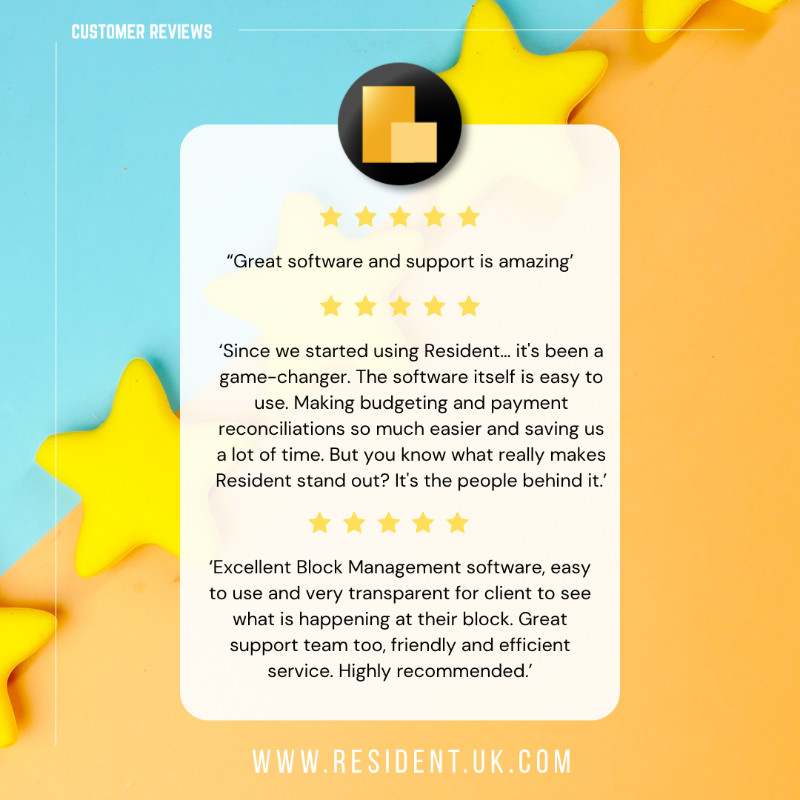
  • Transforming Block Management: What Our Users Are Saying

    Transforming Block Management: What Our Users Are Saying

    Managing blocks, leaseholders, and accounts can be complex – but our users consistently tell us that Resident makes it straightforward, efficient, and even enjoyable.

    Hi again, it’s Craig here, Resident’s Client Success Manager 👋 I thought I would let our Client’s do the talking in this blog, so without further ado…

    🧩 “Easy to use” – and that’s just the start


    One reviewer, Piers W, said:

    “Resident tapped all the boxes… Easy to use.”

    Another, Jim K, echoed:

    “Ease of use – anyone can learn in a couple of days.”

    We’ve designed Resident to be intuitive and approachable – not just for tech-savvy staff, but for entire teams, no matter their experience level.

    🔧 Support that goes the extra mile

    We’re proud of our Technical Support Team – and so are our Clients.

    Benjamin H. shared:

    “…the support team is first class, when they say they will do something it is done quickly and efficiently.”

    Another user remarked:

    “Kate was really helpful… happy to give advice and guidance on block management issues that weren’t even related to Resident.”

    We believe support should be more than just technical fixes – it should be about helping our clients succeed in the wider context of their work.

    🌱 Software that evolves with your needs

    Jim K also highlighted our proactive approach to development:

    “The team are very responsive, helpful, welcome feedback… Since using the software, the platform continues to evolve with extra functionality…”

    Resident isn’t a static product – we constantly refine and enhance it based on real-world feedback from people who use it every day.

    💸 Saving time – and money

    One user summed it up perfectly:

    “Time and money saved… Its simplicity. The customisation and ability for the software to adapt to personal needs is unlike any other similar software packages I have used.”

    Resident helps streamline your operations without compromising flexibility – saving resources while giving you full control.

    Why Property Professionals Trust Resident

    • Simple to learn and use – Staff are up and running in days, not weeks.
       
    • Exceptional support – Knowledgeable, proactive, and genuinely helpful.
       
    • Continuously improving – We listen, and we build what you need.
       
    • Cost-effective – Reduces admin time and helps manage finances better.

    Ready to work smarter?

    Resident isn’t just another platform – it’s a true partner in block management. Backed by consistently glowing reviews, it’s built for real property professionals doing real work.

    Curious to see what it could do for your business? Book a demo or get in touch today.

  • Introducing the New Director’s Report: Empowering You and Your Clients with Clear Financial Insight

    Introducing the New Director’s Report: Empowering You and Your Clients with Clear Financial Insight

    Hi again, it’s Craig here, Resident’s Client Success Manager 👋

    Hi again, it’s Craig here, Resident’s Client Success Manager 👋

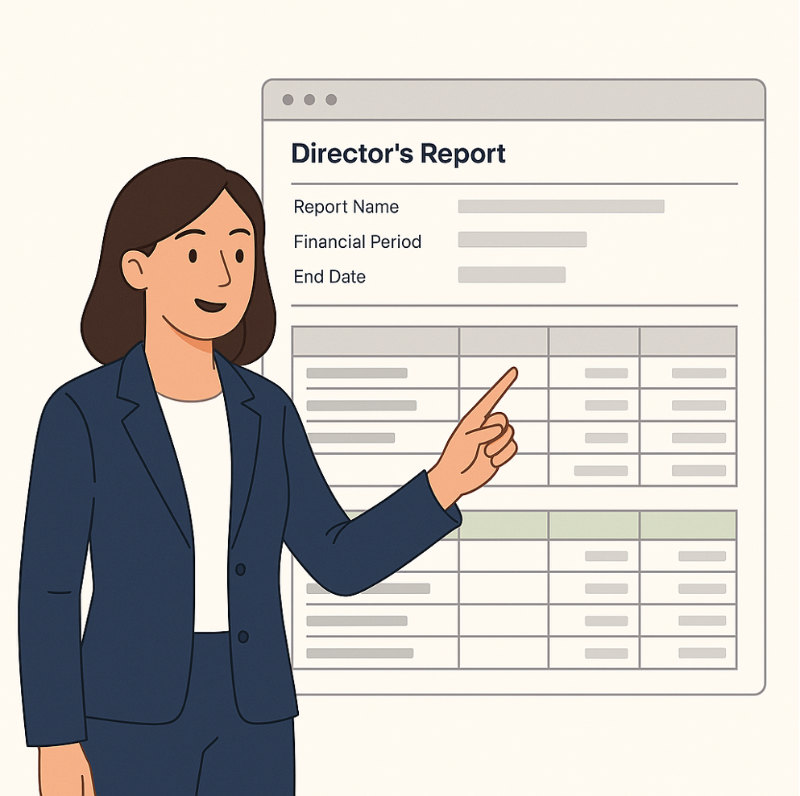
    We’re excited to introduce the new Director’s Report – a purpose-built feature within Resident designed to help not only you – but also for you to deliver detailed, easy-to-understand financial information directly to block Directors.

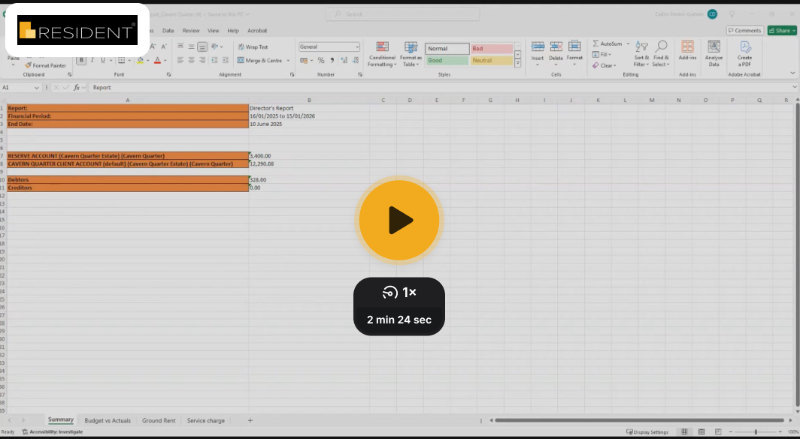
    This report has been created to streamline communication and improve transparency, offering a professional, formatted summary of a block’s financials – including bank balances, leaseholder debt, outstanding invoices, and a clear breakdown of budget versus actuals. Whether you’re managing a single block or many, this report will help you provide Directors with the information they need in a clean, digestible format.

    In the following two videos, we walk you (video 1) and your Directors (video 2) through exactly how to access and generate the Director’s Report. You’ll learn how to:

    • Navigate to the report within a block

    • Link it to a specific budget and financial period

    • Understand key elements like balances, client debt, and budget variances

    • Review schedule breakdowns and how they reflect your block’s financial performance

    This feature is just one more way we’re making reporting and financial clarity simpler and more effective for property managers.

    Resident’s New Director’s Report Overview

    Resident’s New Director’s Report Overview

    👇 Don’t forget to check out this second video, crafted specifically for Directors themselves – perfect for sharing directly with clients so they can understand how to use the new report with confidence.

  • From Chaos to Control: Streamlining Block Management Tasks with Resident

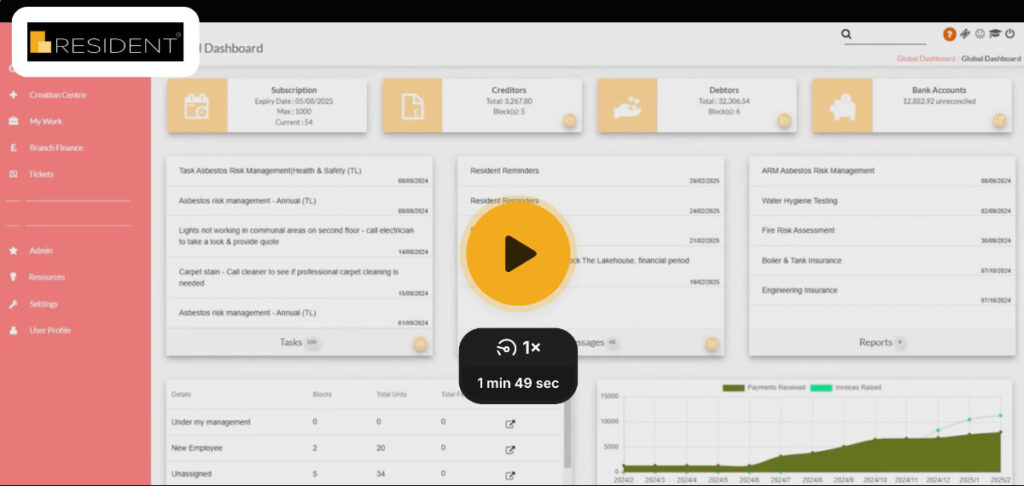
    From Chaos to Control: Streamlining Block Management Tasks with Resident

    Hi again, it’s Craig here, Resident’s Client Success Manager 👋

    In the dynamic world of block management, staying on top of every detail can feel like a juggling act. From routine maintenance checks to urgent compliance deadlines and ensuring seamless staff handovers, the sheer volume of tasks can be overwhelming. But what if there was a single, intuitive platform where every critical task, every deadline, and every piece of information lived?

    Good news: with Resident, that platform is already at your fingertips.

    We’ve designed Resident’s task management features to be your one-stop shop for everything you need to do, ensuring nothing slips through the cracks and every block under your care is managed with precision. Let’s explore how.

    Your Day, Organised: A Central Hub for Every Task

    Imagine having a clear overview of every task related to your blocks, leaseholders, or even your internal processes. In Resident, almost every section comes with a ‘Tasks’ option, meaning you can link a task directly to the relevant item. Whether you’re in a specific block’s profile, reviewing a leaseholder’s details, or managing a contractor, you can instantly create a task that lives exactly where it needs to.

    This means:

    • No More Scattered Notes: Forget sticky notes, disparate spreadsheets, or endless email chains. All your tasks are centralised within Resident.

    • Contextual Clarity: Because tasks are linked to specific areas (like a particular block or leaseholder), you instantly have the context you need to act, saving valuable time.

    Built for Compliance: Never Miss a Deadline

    Compliance isn’t just a buzzword; it’s a fundamental responsibility for block managers. Missed deadlines can lead to significant issues. This is where Resident truly shines.

    When creating a new task, you can:

    • Assign Due Dates: Set clear deadlines that appear on calendars and trigger reminders for you and anyone assigned to the task. Need multiple nudges? Set up multiple reminders for critical compliance checks or annual safety inspections.

    • Assign Ownership & Responsibility: Clearly define who is responsible for each task by assigning it to specific users or even entire teams (like “all branch administrators”). This ensures accountability and that tasks are actioned promptly.

    • Recurring Tasks for Routine Compliance: Many compliance requirements are recurring (e.g., fire safety checks, lift maintenance, Legionella testing). Resident allows you to set up tasks that recur weekly or monthly, automatically generating them at your chosen frequency. This means your compliance calendar is always up-to-date, without manual effort.

    This powerful combination ensures that your compliance obligations are systematically managed, giving you peace of mind and keeping your blocks safe and legally sound.

    Seamless Handovers: Your Holiday, Stress-Free

    We all deserve a break, but the thought of handing over responsibilities can often be daunting. Resident makes staff holidays and departmental transitions incredibly smooth.

    Because all tasks are centrally logged and accessible to those with permissions, creating “handover documents” becomes virtually effortless. A colleague simply needs to:

    • Filter Tasks Report: Quickly filter tasks by assigned user, due date, or even specific tags to see exactly what needs attention.

    • View Comprehensive Details: Each task includes a title, notes, due dates and assigned owners. This means all the necessary information is immediately available, preventing delays or miscommunications.

    • Centralised ‘My Work’ View: Users can access the ‘My Work’ section to see all tasks recorded by themselves, assigned to them, or unassigned – a perfect starting point for anyone stepping in.

    No more frantic calls while you’re trying to relax on a beach!

    Powerful Reporting and Organisation

    Beyond individual task management, Resident offers robust ways to organise and review your workload:

    • Tags for Granular Organisation: Use tags to categorise tasks by urgency, type (e.g., ‘fire safety’, ‘budget review’, ‘resident query’), or any other criteria important to your operations. Resident even adds automatic tags based on the task’s location (block, leaseholder, client), giving you immediate context.

    • Easy Filtering and Searching: Quickly find what you need by filtering tasks by status, assignee, due date, or by searching for specific tags.

    • Future-Proofing Your Operations: The ability to see all tasks, filter them, and understand their status allows you to generate internal reports that help you identify bottlenecks, monitor team performance, and ensure efficient operations across your entire portfolio.

    Ready to Streamline Your Block Management?

    Resident’s task management isn’t just about ticking boxes; it’s about giving you greater control, ensuring compliance, and fostering a more efficient and less stressful work environment. By centralising your tasks and leveraging smart features like recurring tasks and robust filtering, you can transform how you manage your blocks and free up valuable time.

    Are you making the most of Resident’s task management features?

    Check out the video and article below for more information:

  • Reclaim Your Time: Automate Bank Reconciliation Today!

    Reclaim Your Time: Automate Bank Reconciliation Today!

    Reclaim Your Time: Automate Bank Reconciliation Today!

    Still wrestling with the endless task of manually matching your bank statements? Picture this: your accounting software, working tirelessly in the background, effortlessly pairing up payments and receipts, leaving you free from the tedious grind of data entry and reconciliation nightmares. Guess what? That dream is now a reality!

    Get ready to explore a brand-new automatic reconciliation feature designed to inject pure efficiency into your financial workflows.

    And the best part? It’s completely free for all you savvy business owners already leveraging CSV imports or Bank Feeds!

    The Old Way: Manual Reconciliation – A Time Sink Prone to Mistakes

    Let’s face it, many of us have been there. Manual bank reconciliation – painstakingly comparing bank statements with your internal records. It’s not just a colossal time drain; it’s also a breeding ground for human errors. The frustration of chasing down discrepancies between these two sets of data can be a real productivity killer.

    The Smart Way: Automatic Reconciliation – Efficiency Unleashed

    Say hello to the future! This innovative feature automates the entire reconciliation process, dramatically slashing manual effort and virtually eliminating errors. Let’s peek at how it works in a typical business scenario:

    1. Effortless Transaction Import: Seamlessly bring in your bank transactions, whether you prefer the flexibility of CSV uploads or the real-time convenience of bank feeds.

    2. Streamlined Supplier Payment Recording: Continue recording your supplier payments within the system, a standard practice for businesses utilising tools like BACS Extract.

    3. One-Click Auto Reconciliation: Navigate to your transaction overview, click on “More Actions,” and then simply select “Auto Reconciliation.”

    Under the Hood: Intelligent Matching That Works for You

    Behind the scenes, the system’s smart matching engine gets to work, presenting you with potential reconciliation matches in a clear pop-up. It intelligently analyses bank transactions against your recorded payments, considering various crucial details:

    • Spot-On Matches: The system effortlessly identifies perfect pairings based on both the description and the exact amount.

    • Smart Partial Matches: Even if the description or amount isn’t an exact hit, the system is clever enough to flag potential matches based on similar amounts or partial reference details. Imagine a slight typo in a reference number or a minor discrepancy in the amount – the system can still make the connection!

    • Tackling Typos and Minor Errors: This feature even goes the extra mile by handling those pesky typos in references or small inaccuracies in processed amounts. This is a lifesaver for reconciling payments where, for instance, a digit might be missing from a numerical reference.

    You’re Still in Control: Review and Approve

    Rest assured, you’re not handing over the reins completely. You retain full control over the reconciliation process. The system presents its suggested matches for your review, and you have the final say on which transactions to reconcile. This ensures that the power of automation is always guided by your expert oversight.

    The Winning Hand: Benefits of Automatic Reconciliation

    • Massive Time Savings: Reclaim countless hours previously dedicated to manual reconciliation.

    • Significantly Reduced Errors: Say goodbye to the frustration and inaccuracies of manual processes.

    • Enhanced Accuracy: Ensure your financial records are more precise and reliable than ever before.

    • Boosted Efficiency: Free up valuable time and resources to focus on what truly matters – growing your business.

    Ready to Embrace the Automation Revolution?

    We understand that jumping into full automation might not be for everyone right away, which is why we’ve designed this feature to be opt-in for those who are ready to level up their financial processes.

    Simply drop us an email, and our team will be in touch to schedule your “switch-on” date.

    Important Note: Due to the overwhelming interest and the sheer number of clients this feature is available to, we’ve created a comprehensive video walkthrough. Please take a moment to watch it, as we won’t be able to offer individual live demonstrations. Once the feature is activated on your dashboard, it will be instantly ready for you to experience the future of bank reconciliation!

  • Level Up Your Leave: Resident’s Tools for Effective Handover

    Level Up Your Leave: Resident’s Tools for Effective Handover

    Hello everyone, Craig here, your Resident Client Success Manager! 👋🏼

    Back again to chat about a great way to use the features already sitting pretty in Resident. This one’s all about levelling up those colleague handovers, making life a bit easier for everyone in the workplace.

    Let’s face it, we’ve all been on the receiving end of a handover that’s about as useful as a chocolate teapot. Your colleague skips out the door, full of assurances that “it’s all in the notes” and “doubt anything will crop up, but if it does, the notes have got you covered.”

    Spoiler alert, it’s rarely all in the notes. Or at least, not in the kind of detail that’ll save your bacon right there and then.

    So, what’s on the cards today? We’re aiming for a world where we don’t have to solely rely on deciphering handover scribbles. We’ll be having a proper look at how we can use the tasks, assessments, and insurance areas of Resident to keep us on track, whether we’re at our desks or on the beach.

    We’ll be taking a peek from two viewpoints:
     

    • 🟢 Green for the person going: Tips and tricks for the person about to pop off on their annual leave.
       

    • 🟡 Amber for the person ‘minding’: How to best use Resident when you’re looking after someone else’s patch.

    Assessments: Your Non-Negotiable Nitty-Gritty

    🟢

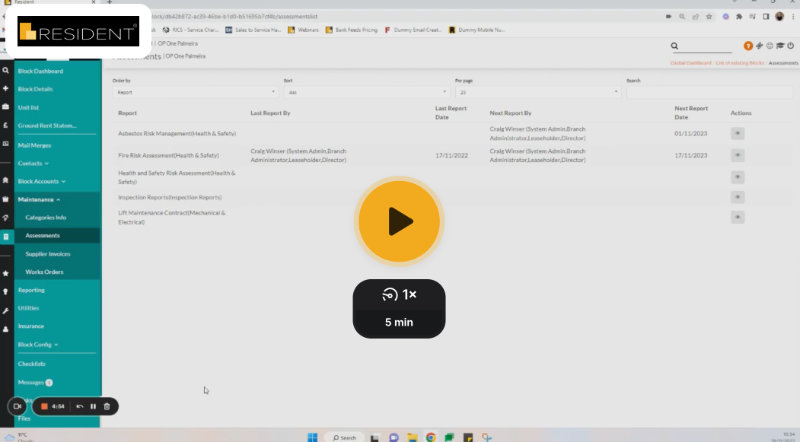
    Think of the Assessments area as your go-to for all those cyclical things. Fire risk assessments, lift maintenance contracts – those crucial tasks that absolutely must be done on time, no ifs or buts!

    Honestly, if you’re not using this section in Resident, you’re missing a trick! It’s your secret weapon for staying sorted and keeping the stress at bay. Facing an audit? This is where you can confidently show you’re on top of things.

    New to Assessments or fancy making sure you’re using them like a pro? Have a look at this video for a proper rundown on setting up recurring tasks, attaching vital documents, setting reminders, and loads more!

    Insurance: Keep Your Cover Sorted, No Sweat

    🟢

    A bit like Assessments, the Insurance area is a clever tool you should definitely get on board with this year if you haven’t already. From public liability to cladding insurance, there are so many to keep tabs on, so having it all stored, actioned, and reported in one place is a no-brainer.

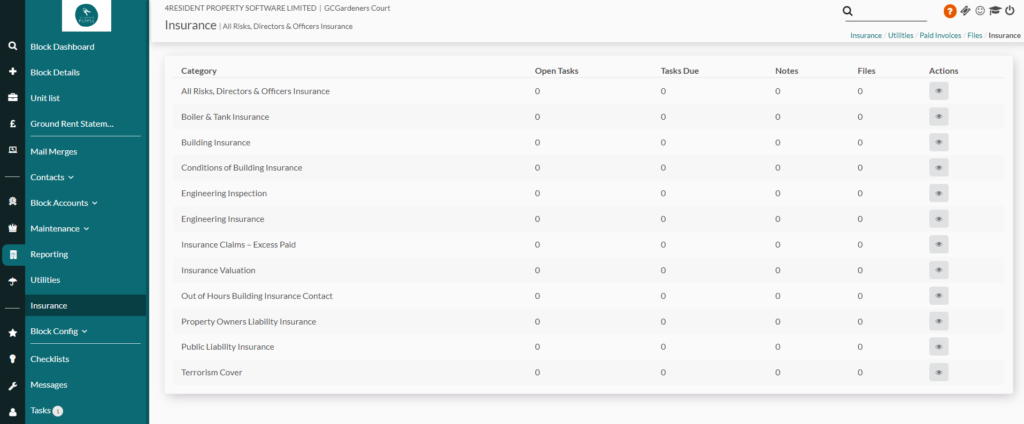
    The Insurance area in Resident lets you keep all your past files – like certificates and policies – set up tasks and reminders for renewals! The knack for setting up tasks and attaching files is the same as in the Assessments video, but this article highlights the other key bits:

    Reporting: Your Instant Holiday Handover Lowdown

    🟢 🟡

    We all know Resident’s got reporting, but have you ever thought of it as the bedrock of your annual leave handover?

    Here’s my view: if you’ve taken the time to pop all your Tasks, Assessments, and Insurances into Resident (like we’ve just chatted about), you deserve a reward! That reward is running a report that practically writes your handover to-do list for you!

    Have a look at this video – it shows you exactly how it’s done:

    Once you’ve got the right report sorted and filtered, why not save it? Then, drop your colleague an email with any important context, and simply attach the report. This one document will have all your day-to-day tasks, those crucial Assessments, and even your Insurance bits and pieces. Talk about being organised!

    Ad-Hoc Tasks: Don’t Forget the Odd Jobs

    🟡

    While you’re looking after someone’s patch, don’t forget you can add those one-off tasks directly onto specific bits and bobs. Need to chase up a leaseholder? Remind a director about something? Get a supplier sorted? You can create tasks on pretty much anything in Resident.

    Just make sure you assign the task to your colleague who’s on their holiday and set the due date for when they’re back. It’ll pop up in their “My Work” tasks as soon as they’re back at their desk! The videos we’ve already mentioned cover all the basics about Tasks, but for any extra bits, this article’s got you covered:


    Cheers for stopping by, and we really hope this helps you and your teams keep things ticking over nicely! 😊

  • The answer to your maintenance woes… is here!

    The answer to your maintenance woes… is here!

    Hello everyone, Craig here, your Client Success Manager at Resident 👋

    It’s been a good five months since we last discussed this, hasn’t it? Time flies, especially in the busy world of property management, and maintenance issues never take a holiday.

    Today, I’m keen to share some insights into a module we’ve developed that’s a real game-changer for managing those inevitable maintenance headaches. If you’ve ever felt overwhelmed by the sheer volume of requests coming in from all angles – emails, phone calls, snail mail, even face-to-face encounters whilst out on an inspection – you’re certainly not alone.

    Imagine, instead, a centralised hub where all these requests are organised and easily managed. Our Ticketing module does just that, allowing you to assign tasks, delegate to your team, respond directly to those who raised the issues, and generate work orders, all from one convenient place.

    In this post, we’ll delve into how the Ticketing module can significantly improve your efficiency, benefiting both you and your clients. And for those who prefer to see it in action, there’s a video demonstration linked at the end of this article!

    What Exactly Is Ticketing?

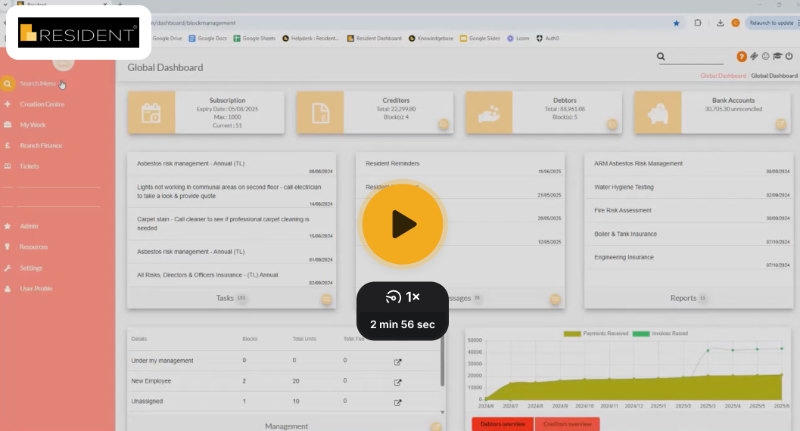
    Let’s start by visualising the main dashboard of the Ticketing module:

    Imagine the most organised to-do list you’ve ever seen, right at your fingertips. You can easily see tickets assigned to you, pending assignments, and those allocated to your colleagues – ideal for managing workloads, particularly when team members are out of the office.

    The module also features a powerful keyword search, enabling you to locate tickets swiftly. You can tag tickets by block name or issue type and prioritise them using the Grade feature.

    How Integrated Is Ticketing?

    The answer is: completely integrated!

    Leaseholders or Directors can submit tickets via email, the online portal, or directly from your website, and all requests will seamlessly populate within the Ticketing system. If the submitter’s email matches a registered account in Resident, their block, flat, and owner information will automatically populate. Plus, the system will capture their contact details and any files they attach to their initial request.

    Additional Features of Ticketing

    Here’s a snapshot of what Ticketing has to offer:

    • Assign Tickets: Delegate tasks to team members with ease.
    • Automatic Notifications: Get alerted when new tickets are received or assigned to you.
    • Weekly Status Reports: Stay updated on progress and outstanding issues.
    • Create Work Orders: Link work orders back to specific tickets for easy status updates.
    • Task Creation: Never lose sight of important tasks related to a ticket.
    • Two-Way Messaging: Communicate directly with ticket reporters, keeping all correspondence logged within the ticket.
    • Individual Ticket Tracking: Access all tickets raised by a specific leaseholder under their Ownership Details tab.
    • Internal Notes: Make notes visible only to you and your colleagues.
    • Merge Tickets: Combine reports of similar issues, like a shared broken lift.
    • Audit Trail: View a comprehensive log of actions taken on each ticket, providing clarity and accountability.

    The Ticketing module continues to help a vast number of our Clients manage Maintenance better than they’ve ever been able to, before. We’re confident that you won’t need it, but we even offer a 14 day cooling off period, should you decide it isn’t for you!

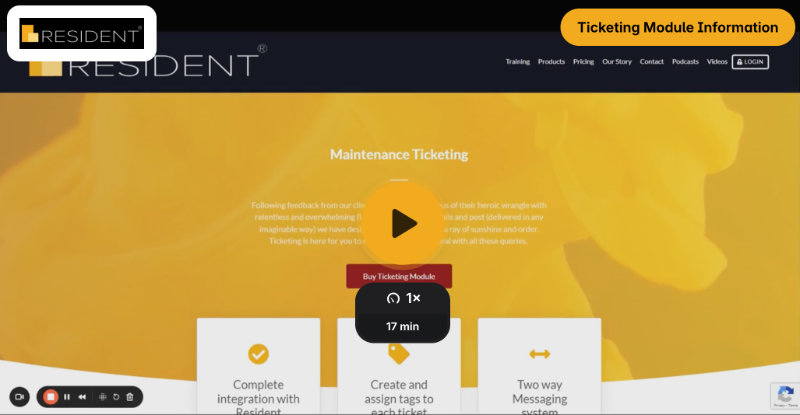
    To help gain a deeper understanding of all things Ticketing, please feel free to check out the Video Demonstration, by clicking the link!


    If you wish to learn more then please reach out to me directly:

  • Dhub: Your Intelligent Supplier Invoice Processor

    Dhub: Your Intelligent Supplier Invoice Processor

    Reimagine your Supplier Invoice Process: Life beyond the manual grind

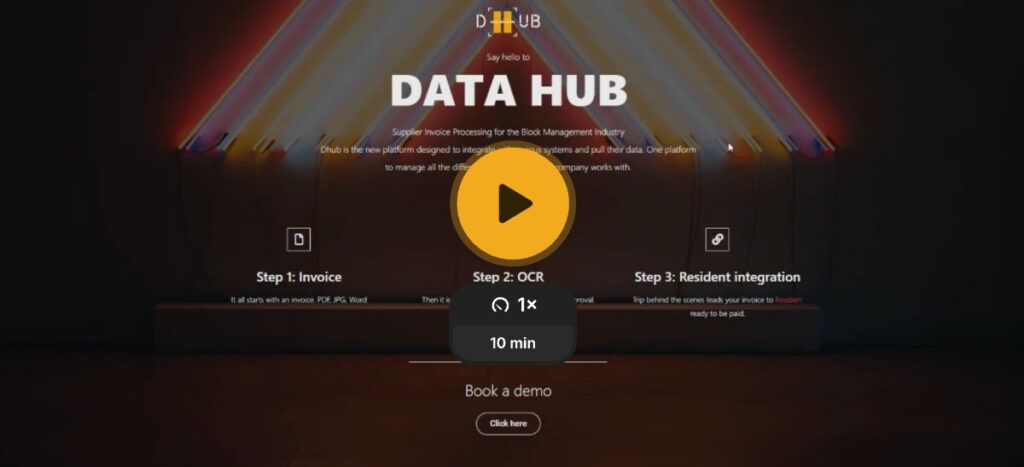
    Hey everyone, Craig here, your Client Success Manager, back to chat about something truly transformative: Dhub. You’ve heard the pitch before, but let’s cut through the noise and look at what this really means for your day-to-day.

    We all know the drill: supplier invoices piling up, endless data entry, the nagging fear of duplicate payments. Now, imagine a world where that’s just…gone. That’s Dhub.

    Dhub: Your Intelligent Supplier Invoice Processor

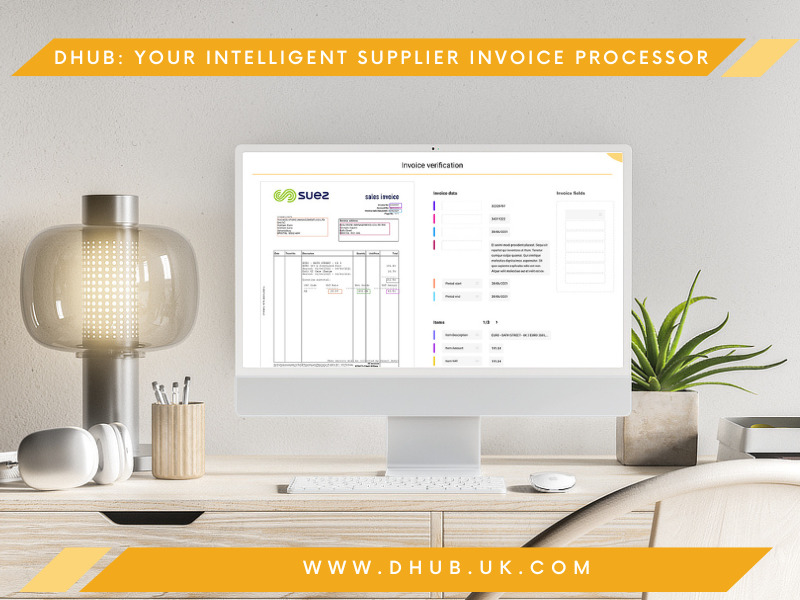
    Instead of just telling you it’s AI, let’s talk about what that actually does. Dhub isn’t just reading supplier invoices; it’s understanding them. It’s pulling supplier details, amounts, and descriptions from emails, scans, even photos taken on your phone. Think of it as your digital assistant, instantly translating paper and pixels into usable data.

    Beyond Perfect PDFs: Real-World Flexibility

    We all know invoices don’t always arrive perfectly formatted. Dhub gets that. Handwritten notes? Check. Emails with payment requests? Check. It’s built for the messiness of real-world business, not just the ideal scenarios.

    The Time You Get Back: It’s Not Just Numbers

    0 %
    Saved on manual data entry
    0 %
    Saved on invoice processing

    We’ve thrown around figures like 60% time savings on invoice processing and 75% on data entry. But what does that feel like? It’s reclaiming hours in your week. It’s focusing on strategic tasks, not tedious data input. It’s finally having breathing room to tackle what truly matters.

    More Than Just Efficiency: Real Business Benefits

    Dhub isn’t just about speed. It’s about security and control.

    • Eliminate Duplicate Payments: Imagine the peace of mind knowing you’re protected from costly errors. Dhub flags potential duplicates before they become a problem.

    • Unlimited Collaboration: No per-user fees mean your entire team can benefit, streamlining workflows and improving transparency

    • Smart Spending: Dhub’s subscription model is designed to be cost-effective, offering a scalable solution that grows with your business.

    The Investment: Simplicity and Transparency

    Let’s talk about the bottom line. Dhub is a subscription service, plain and simple: £168 + VAT per month, billed annually. You pay for the pages you process, with 1000 pages at £55 + VAT. This “pay as you go” model ensures you only pay for what you use, with a clear dashboard to track your usage.

    Ready to See It in Action?

    If you’re tired of the manual supplier invoice grind, I’m here to show you how Dhub can revolutionise your workflow. Take a look at the video tour below and then reach out. Let’s explore how it can work for you.

  • Automatic Bank Reconciliation: A Game Changer for Your Business

    Automatic Bank Reconciliation: A Game Changer for Your Business

    Automatic Bank Reconciliation: A Game Changer for Your Business

    Tired of manually reconciling your bank transactions? Imagine a world where your accounting software automatically matches payments and receipts, freeing you from tedious data entry and reconciliation headaches. That world is here! 

    This blog post explores a new automatic reconciliation feature designed to streamline your financial processes.

    Did we mention it’s totally free and available for anyone using CSV import or Bank Feeds?

    The Challenge: Manual Reconciliation is Time-Consuming and Prone to Errors

    Many businesses still rely on manual bank reconciliation, a process that involves comparing bank statements with internal records. This is not only time-consuming but also susceptible to human error. Discrepancies between the two sets of data can be frustrating to track down and resolve.

    The Solution: Automatic Reconciliation

    This new feature automates the reconciliation process, significantly reducing manual effort and minimising errors. Let’s walk through a typical scenario:


    1. Import Bank Transactions: Bank transactions can be imported via CSV or via bank feeds.

    2. Record Supplier Payments: Record supplier payments within the system. This is a common use case for businesses using tools like BACS Extract.

    3. Initiate Auto Reconciliation: Navigate to the transaction page, select “More Actions,” and then “Auto Reconciliation.”

    How it Works: Intelligent Matching

    The system then presents a pop-up screen displaying potential matches. It intelligently compares bank transactions with recorded payments, taking into account various factors:

    • Perfect Matches: The system identifies exact matches based on description and amount.

    • Partial Matches: Even if the description or amount isn’t an exact match, the system can still identify potential matches based on partial references or similar amounts. For example, a slight typo in the reference or a small difference in the amount won’t necessarily prevent a match.

    • Handling Typos and Errors: The system can even handle situations where there are typos in references or incorrect amounts have been processed. This is particularly useful for identifying and reconciling payments where; for instance, a digit might be missing from a numerical reference number.

    User Control and Flexibility

    The user has complete control over the reconciliation process. They can review the suggested matches and choose which transactions to reconcile. This ensures that the system’s automated suggestions are always reviewed and approved by a human.

    Benefits of Automatic Reconciliation

    • Time Savings: Drastically reduce the time spent on manual reconciliation.

    • Reduced Errors: Minimise the risk of human error in the reconciliation process.

    • Improved Accuracy: Ensure greater accuracy in financial records.

    • Increased Efficiency: Free up valuable time for other important tasks.

    How do you get this feature?

    Firstly, not everyone may be ready for this level of autonomy, so we have built it specifically to work for those that want it.

    Simply drop us an email and we shall reach out to you to discuss your ‘switch-on’ date.

    Please take the time to watch the video provided as we are unable to do live demonstrations, due to the vast quantity of Clients this is available to. Once the feature has been added to your dashboard, it will be instantly ready to use!

  • Leaseholder & Director Portal: The benefits

    Leaseholder & Director Portal: The benefits

    Hello, everyone! Craig here, Client Success Manager here at Resident 👋

    One of the many features that are included in all of our subscription packages, is complimentary use of the Leaseholder & Director Portals . There is a world of benefits as to how this can increase efficiencies, transparency and save valuable time within your team.

    Take a read below and be sure to check out the video links, found at the bottom of this blog – for further information and ‘How-To’ guides.

    Unlocking Efficiency: A Guide to the Leaseholder & Director Portal

    In today’s digital age, streamlining processes and improving communication is paramount. For Block Management companies and their Leaseholders and Directors, a dedicated online portal can be a game-changer. This blog explores the benefits of both Leaseholder & Director Portals, offering centralised hubs for information, communication, and management.

    Please note, all of the below benefits are optional to be shown on the portal.

    Example: You may opt to not share reports… you would simply not ‘tick’ to share these, within the settings area.

    Benefits for Leaseholders & Directors:

    • 24/7 Access to Information:

      • View service charge statements and property information at any time.

      • Access to all messages/emails sent to them.

      • Access important documents like insurance certificates and building regulations.

    • Enhanced Communication:

      • Submit maintenance requests directly through the portal (module dependant).

      • Receive timely notifications and updates via email or within the portal itself.

      • Engage in secure online communication with property managers.

    • Increased Transparency:

      • Gain a clear understanding of service charges and how they are calculated.

      • Access financial records and expenditure reports for greater transparency.

      • Stay informed about upcoming works, consultations, and important building matters.

    • Improved Convenience:

      • Access a central hub for all property-related information.

      • Cloud-based access for easy and convenient use.

    Benefits for Block Managers:

    • Streamlined Operations:

      • Manage maintenance requests efficiently.

      • Generate reports on building performance, financial health, and resident satisfaction.

    • Improved Communication:

      • Communicate with leaseholders effectively and efficiently through the portal.

      • Send out mass notifications and important announcements easily, to specific blocks or the entire portfolio at once.

      • Build stronger relationships with leaseholders through improved communication.

    • Enhanced Data Management:

      • Store and access all property-related documents securely in a central location.

      • Maintain accurate records of all interactions with leaseholders.

    • Increased Efficiency:

      • Reduce administrative overhead and free up time for more strategic tasks.

      • Improve overall operational efficiency and reduce costs.

    By opting to utilise this powerful feature; The Leaseholder & Director Portal, you can enhance communication, improve efficiency, and foster stronger relationships with all stakeholders. 

    For further information, please feel free to check out the two videos linked below: