Category: ReleaseNotes

  • Release Notes (31/05/2023)

    Release Notes (31/05/2023)

    What’s new?

    We are delighted to present you with new features and upgrades which will allow you to smoothly pass ARMA audits and keep your Compliance up to date.


    NEW FEATURES

    • TICKETS
      Tickets for category visible under assessments
       
    • TICKETS #2
      Tickets for unit visible on the ownership
       
    • COMPLIANCE DASHBOARD
      Showing overview of all Assessments sections and status of your compliance tasks
       
    • RECONCILIATION
      Sign off reconciliation of the bank account
       
    • RECONCILIATION #2
      Report of all sign-offs

    UPDATES OF EXISTING FEATURES

    • AGENCY IMPORTS/CATEGORIES
      Category type is now mandatory and the template gives a list of types from which the user can choose
       
    • COMPLETED WORKS ORDERS NOT SHOWING IN DHUB 
      This requires synchronizing and 30-second wait
       
    • MESSAGES
      Unit name is now next to the contact when you select recipient for a new message
  • Release Notes (19/05/2023)

    Release Notes (19/05/2023)

    What’s new?

    Please check out the video snapshot of all the new exciting features!

    NEW FEATURES

    • CLIENT STATEMENT
      If you have a Global Bank account, each block on your portfolio will have a new section called Client Statement which will show the statement of client funds. This is found under Block Accounts, below Transactions.
       
    • DEFAULT MESSAGE TEMPLATE
      You can now set up a new message template with default text which will be added to any new custom message you send from Resident.
       
    • TICKETS IMPORT
      Gives the option to create multiple tickets using a spreadsheet (Ticketing required).
       
    • CATEGORY FOR TICKETS AND TASKS
      You can now assign a category to a ticket or task for reporting purposes. Tasks with a category will be shown under that category.
       
    • CREDITORS REPORT CHANGE
      The Creditors report will now show unallocated credit for each supplier, per property. These will be shown at the bottom of the report.

    NEW FEATURES

    • ADDING ITEMS TO SUPPLIER INVOICES
       After category selection, the relevant schedule is now highlighted.
       
    • NARROWING DOWN ID CHECK ON INVOICES
      When you create an invoice, the system will check for duplicate invoice numbers on that block only (not the whole portfolio).
       
    • ASSESSMENT REPORT
      Can now specifically pull tasks which have categories showing in the Assessments section.
       
    • GLOBAL DASHBOARD
      From the Global Dashboard, scroll beneath Tasks/Messages and Reports to see the Management section. Here, you can now see a list of blocks assigned to each Property Manager using the Action link.
       
    • SUPPLIER REMINDERS FOR INSURANCE RENEWAL
      These no longer hold a link to Resident. It is just fixed text.

    RESOLVED ISSUES

    • LIST OF SUPPLIERS FILTERING OFF INACTIVE SUPPLIERS 
      These will not show on the black book, and cannot be instructed for works orders.
  • Release notes 12th August 2022

    Release notes 12th August 2022

    NEW FEATURE

    • Internal Transfer – allows you to transfer money between two accounts by creating a debit and credit accordingly. It will also automatically reconcile such transactions with ledger items

    UPDATES

    • Budget – if you generate demands manually, the system will automatically disable options to automatically generate and email for that demand (if originally selected)

    • Supplier extract – new column on the spreadsheet with Supplier’s Insurance expiry date

  • Release Notes 15th July 2022

    Release Notes 15th July 2022

    What’s new?

    The following features/updates have now been deployed:

    NEW FUNCTIONALITIES

    • Comments can be added to Categories on the Budget – these can be added and edited even after a budget has been approved – code:

      <# <Content Select=”./CategoryComment”/> #>
      (works on Budget Summary and Budget Details templates)
       
    • Send All Statements – Option to send Statements to all current Leaseholders at once. Works similar to downloading Statements. This can be found in Units List/More Actions/Send all statements

    UPDATES

    • Schedule Names on the list of Suppliers’ Invoices – there is only one Schedule even if there are multiple items. The schedule will be taken from the Category and will be the first item
       
    • Suppliers can now be emailed from Tickets directly
       
    • New column on Debtors report – ‘In Breach’
       
    • New frequency for Service Charges and Automatic Ground Rent – Half Yearly English Quarters – half year dates when falling on English Quarter Dates
       
    • Notes column added to Works Orders Extracted – This pulls notes from Notes sections on each works order
  • Release Notes 13th June 2022

    Release Notes 13th June 2022

    What’s new?

    NEW FEATURES

    • Company Report – There is a new global report which pulls details of all block Companies and their Directors
       
    • New Section in My Work – My Properties – this shows details from Blocks –  Every logged Property Manager can now see their own blocks, invoices and works orders in one place
       
    • Supplier Extract – A new report accessible via More Actions on the list of Suppliers which extracts all Suppliers
       
    • Each Freeholder now has a new tab for bank details
       
    • Freeholder payments are now included in BACS extracts
       
    • Download Statements from each Block for individual Freeholders – Accessible under Freeholder/More Actions
       
    • Supplier Insurance expiry date field – this can be entered for each Supplier. Adding a date creates recurring tasks. Completing the task creates another new task in 12 months time and updates the date
       
    • The ‘Send all Invoices’ automatically downloads all Invoices according to preferences in one Pdf. This also applies for automatically generated invoices. The download notification is then sent to the user who created it manually or to the Property Manager
       
    • New option for Arrears step – This can now automatically generate invoice fees for the same category as those arrears being chased. The Invoice can also be sent with the arrears letter
       
    • Breach of Lease feature – in Arrears or Ownership Details sections you now have the option to mark ‘In breach of lease’. The User is then highlighted in red, cannot be sent any messages, is not included in any mail merges and the entire arrears process sits in a new tab ‘In Breach of Lease’

    UPDATES


    • Category specific – Leaseholder invoices with allocated credit is now locked
       
    • Freeholder payments can be accessed from the Transactions page
       
    • Tasks Extract Report – Notes extracted for each task are now in chronological order, the Column width is fixed, and the text is wrapped
       
    • New Tab on the list of Suppliers – Inactive Suppliers
  • Release Notes 24th May 2022

    Release Notes 24th May 2022

    What’s new?

    The following features/updates have now been deployed:

    UPGRADES

    • You can now pull the default account on Arrears Letters in the same way as on Mail Merge
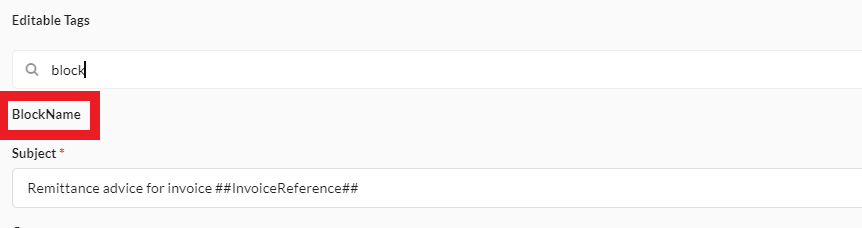
    • The Block Name code can now be used on the Supplier Remittance message template
    • New tab in My Work/Tasks which shows all the User’s Essential Reminders
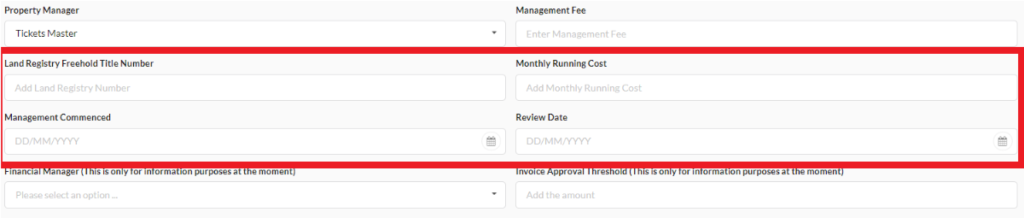
    • New fields in Block Details:
      • Land Registry Freehold Title Number
      • Monthly Running Cost
      • Management Commencement date
      • Review Date
    • New Field in Unit Details: UPRN
    • New Code for budget template (pulling cover letter text from the first demand):
      <# <Content Select=”./Budget/CoverLetterContent” /> #>
  • Release notes 29/04/2022

    Release notes 29/04/2022

    What’s new?

    The following features/updates have now been deployed:


    UPGRADES
     

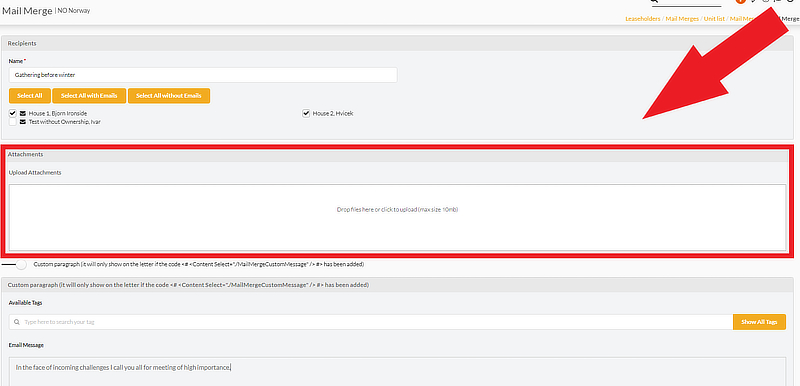
    • Mail Merge – custom attachments: You can now add any custom attachment up to 10mb to your Mail Merge email.
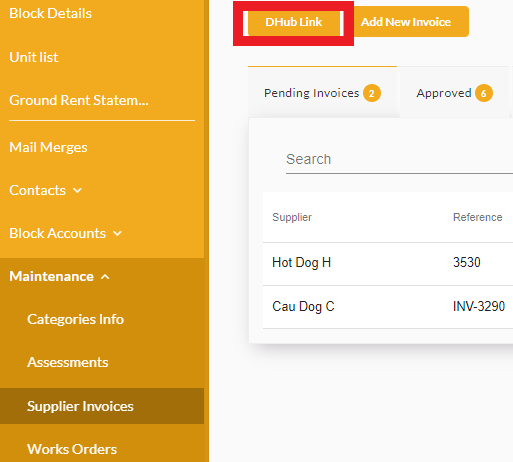
    • DHub link: you can now access DHub from Resident Supplier Invoices page.
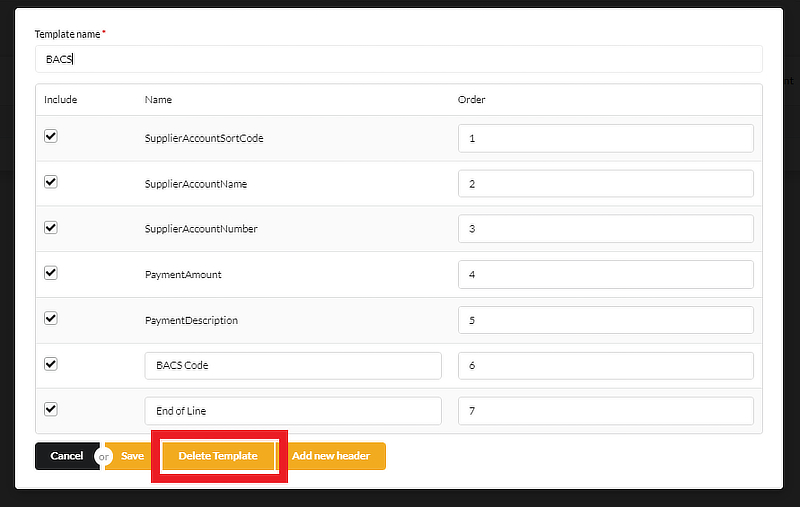
    • BACS Extract – you can now delete bank templates after clicking Edit on them

    As always we have also deployed some minor bug fixes reported by individual clients through tickets.

  • Resident Release Notes – 15/12/2021

    Resident Release Notes – 15/12/2021

    What’s new?

    The following features/updates have now been deployed:

    New Features
     

  • New Tile within the Leaseholder dashboard – There is a new tile which appears on the Leaseholders dashboard if you enable the section with Suppliers Invoices

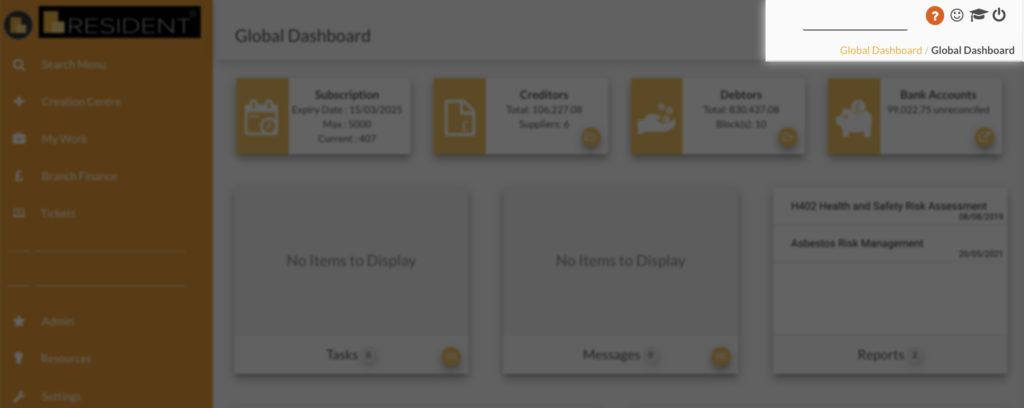
  • Ticketing button restored – After receiving feedback about the Ticketing button being inconveniently hidden we have restored the old ticketing button in the top right corner. Now the orange question mark icon only gives you access to the knowledge base.
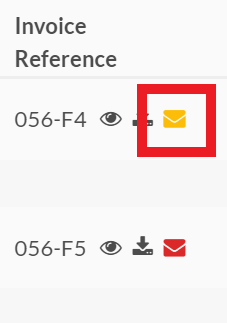
  • Invoice Groups – There is a new envelope colour (yellow) for those Invoices which have not been sent. It could be a case of incorrectly formatted emails.
  • Resident Speed Week #2 – 20th October 2021

    Resident Speed Week #2 – 20th October 2021

    Speed upgrade #2

    RESIDENT SPEED WEEK: UNLOCKING DASHBOARDS AND LEFT-HAND SIDE MENU

    We have another exciting announcement to make for ‘speed week’:

    • Dashboards (Global and Block) are made unlocked and will load each tile separately. This means you no longer have to wait for the page to fully load before moving onto another page:

    We have also unlocked the Left Hand Side Menu. This means you can move between pages more quickly:

  • Resident Speed Week #1 – 18th October 2021

    Resident Speed Week #1 – 18th October 2021

    Upgrades

    RESIDENT SPEED WEEK: PAGE RESPONSE TIME UPGRADE

    This week we are introducing Resident upgrades which will reduce page response time (‘Working please wait’ screen).

    The first stage has already been released over the weekend. All the changes were done behind the scenes but their result is a shorter loading time of all Resident pages.

    The second stage with the navigation changes is coming later this week so please keep an eye on it.

  • Resident Release Notes – 06/09/2021

    Resident Release Notes – 06/09/2021

    New Features

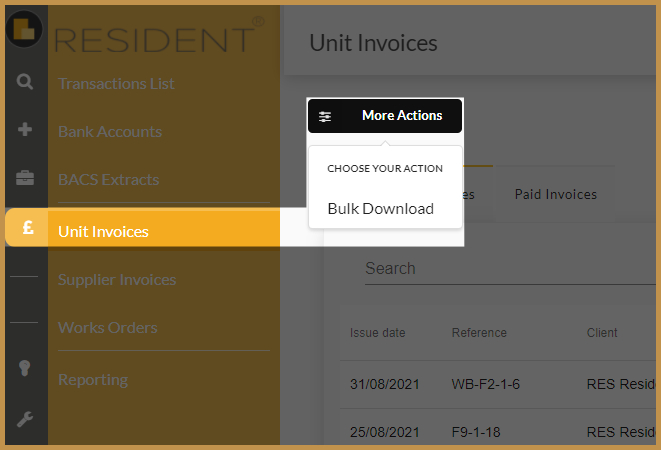
    BULK DOWNLOAD OF CUSTOM INVOICES


    You can now download customised groups of Invoices – up to 100 individual ones. This new option is available in Branch Finance / Unit Invoices:

    For more details please click on the button below:

    Upgrades

    SUPPLIER STATEMENT EXTRACT


    This report available in Branch Finance/Reporting now has totals for each Bank Account in the first tab of the sheet.

  • Resident Release Notes – 12/08/2021

    Resident Release Notes – 12/08/2021

    What’s new?

    The following features/updates have been included in the most recent system update:

    New Features

    GLOBAL SEARCH

    There is a new global search available in the top right corner of Resident:

    You can now search more quickly for the following 14 entities at once: 

    • Name of: Unit, Block, Estate, Person, Supplier, Freeholder, Client, Company, RTM
       
    • Address: Unit, Block, Person, Supplier, Freeholder, Client
       
    • Email: Person, Supplier, Freeholder, Client
       
    • Phone Numbers: Person, Supplier, Freeholder Client
       
    • ID: Block, Unit, Supplier ID, Leaseholder Invoice Number, Supplier Invoice Number, Works Order

    • File Name
       
    • Task Title

    It will show the top 10 results for every item type so in total up to 140 results. If it finds a unique match it will go straight to it.

    AUTOMATIC GROUND RENTS

    Instead of setting up automatic Ground Rents for each Leaseholder, you can import them across multiple Blocks using a new Agency Import called Ground Rent. You can also import data over old records to amend them. This can be found in Settings/Agency Imports.

    Upgrades


    BLOCK NAME ON THE BANK ACCOUNT

    Whenever you are selecting a bank account you will see a Block (and Estate if applicable)  next to it. This will mainly improve Global Reports such as Client Statement, Client Balance and Supplier Statement Report.